Cybersecurity
Learn About Ways to Better Protect Yourself and Your Assets
NDBT’s Risk Management Team works closely with all bank operations and often shares valuable tips and tools to our customers and clients to help ensure they are as protected from cyber threats as possible. Be aware and check back often!
Staying Cyber Secure is an Every Day Effort
Cybersecurity is serious business. NDBT commits substantial resources 24/7, 365 to ensure our own infrastructure is secure, protecting our customer’s data and financial accounts. But it is also our duty as a community bank to share resources to help you stay aware of the constant threats to your computers, networks, data and other online resources. Our cybersecurity professionals have created a collection of blogs, videos, links, seminar presentations, and other important information to assist you in your efforts to stay cybersecure.
In addition, we offer timely and important information shared by our partners from the Texas Bankers Association (TBA) and the American Bankers Association (ABA), and other experts in the field, including the United States Cybersecurity & Infrastructure Security Agency (CISA).
SCAM ALERT – April 8, 2026
Don’t Sign Off on This Scam
In this scam, you receive an email that looks like it’s from DocuSign, a software that allows you to sign and send official documents online. The email doesn’t contain many details, but it claims that you urgently need to sign a document. It looks official, and even contains DocuSign’s logo, along with a large yellow button labeled “Review Document.”
However, the email you received was sent by cybercriminals! If you select the yellow button, you may be directed to a fake login page and prompted to enter your user credentials, or the button might direct you to a phishing website. It may even install malware on your device! What the button does varies, but the scammers’ goal remains the same. They want to steal your login information to gain control of your accounts!
____________________________________________________________________________________
Follow these tips to avoid falling victim to this phishing scam:
- In most cases, you won’t be asked to sign anything unless you have spoken to someone about it first. Receiving an unexpected email that instructs you to sign an urgent document is a red flag.
- If you receive an email that contains unusual or suspicious instructions, be sure to follow your organization’s policies for reporting it.
- Always stop and think before you click! Scammers use urgent language in their phishing emails to trick you into acting quickly.
SCAM ALERT – MAR 25, 2026
Don’t Let This Scam Bring Down the House
This scam targets people who are working on home construction projects. You receive an email that claims you must pay a permit fee immediately to avoid delays with your project. The email looks real, and may even include a case number or your home address. It instructs you to pay the permit fee immediately via wire transfer, payment apps such as Venmo or Zelle, or cryptocurrency.
But you don’t actually owe any money, because this email is a scam! Scammers use public information, like your address and the names of local officials, to make their fake emails look real. Because the email arrives while you are working on a real home project, it is easy to think it is legitimate. If you follow the payment instructions, you are giving your money directly to the scammers!
____________________________________________________________________________________
Follow these tips to avoid falling victim to this phishing scam:
- Don’t assume that an email is real just because it looks official. Scammers can use publicly available information to make their phishing emails even more convincing.
- Legitimate government agencies will never demand immediate payment through cryptocurrency, wire transfers, or payment apps.
- If you receive an unexpected invoice from what appears to be the city or county government, do not use the contact information in the email. Instead, call the agency using the official phone number listed on their website to verify any fees.
SCAM ALERT – MAR 4, 2026
It’s a Tax Trap!
In this scam, you receive an unexpected phone call from someone who says they are an Internal Revenue Service (IRS) agent. They claim that you owe money to the IRS. The call seems real because the “agent” even provides what sounds like an actual government badge number. To make this situation even more alarming, they threaten you with fines or threaten to arrest you if you don’t immediately pay the money that you owe.
However, this “tax agent” is actually a cybercriminal, and the debt that you supposedly owe isn’t real! They will try to pressure you into paying them, usually by wire transfer or a prepaid debit card. But if you send any money, it goes straight into the cybercriminal’s pockets!
____________________________________________________________________________________
Follow these tips to protect against tax scams:
- The IRS will not call you and threaten to arrest you. If there is an issue with your taxes, they will usually contact you by mail.
- If you do owe money to the IRS, they will never demand immediate payment using prepaid debit cards or wire transfers. Scammers often request payment using these methods because they are more difficult to trace.
Remember, cybercriminals try to scare you because you’re more likely to act impulsively if you’re afraid. Always stop and think!
SCAM ALERT – FEB 18, 2026
This Fraud Alert is Fake
Scammers are targeting Apple Pay users by sending an email that appears to be an official message from Apple. The email warns you that an expensive purchase was made using your Apple Pay account, but that the charge was blocked as being suspicious. It includes a phone number and states that you must call within 24 hours to confirm that the charge is actually fraudulent. If you don’t, Apple will supposedly allow the transaction to be charged to your account. However, there wasn’t really a suspicious charge to your account. The email you received was sent by scammers who are trying to scare you! If you call the number listed in the email, a cybercriminal will answer. They will pretend to work for Apple Support and will request your Apple ID and personal information so they can “help” you. But if you give them these details, they will use them to gain access to your account!
____________________________________________________________________________________
Follow these tips to avoid falling victim to this phishing scam:
- Remember, Apple will not require you to call a phone number to confirm fraudulent activity immediately. You should always be suspicious if you receive an unexpected email that instructs you to act quickly.
- Cybercriminals frequently impersonate well-known brands, such as Apple, to try and gain your trust. Always stop and think before you take action, even if the email looks official!
- If you have concerns about a purchase, never call a phone number in an email. Go to Apple’s official website and contact their customer service team.
SCAM ALERT – JAN. 7, 2026
This Phishing Scam is a Bad Apple
In this scam, you receive text messages that say someone is trying to log in to your Apple account without your permission. Then, you get a call from someone claiming to be an Apple support agent. They tell you that your account has been compromised and that they have opened a support ticket for you so they can help you secure your account. You even receive an actual email from Apple support that contains your case number.
The Apple support email you received is genuine, but the support ticket was initiated for you by cybercriminals, not by Apple. They’ll pretend to help “fix” the issue with your account and ask you to give them your security code so that they can close your support ticket. However, if you give them the code, they can steal your Apple account!
____________________________________________________________________________________
Follow these tips to avoid falling victim to a phishing scam:
- If you receive unexpected text messages from Apple, don’t reply or select any links in the message. Instead, visit the Apple website to confirm that the message is legitimate, or call their official customer support line.
- Cybercriminals often try to trick you into acting impulsively by creating a sense of urgency. Always be cautious if you receive a text message that instructs you to act quickly!
- Remember, real support agents will not ask you for your passcode or password. Scammers request this information so that they can gain access to your accounts.
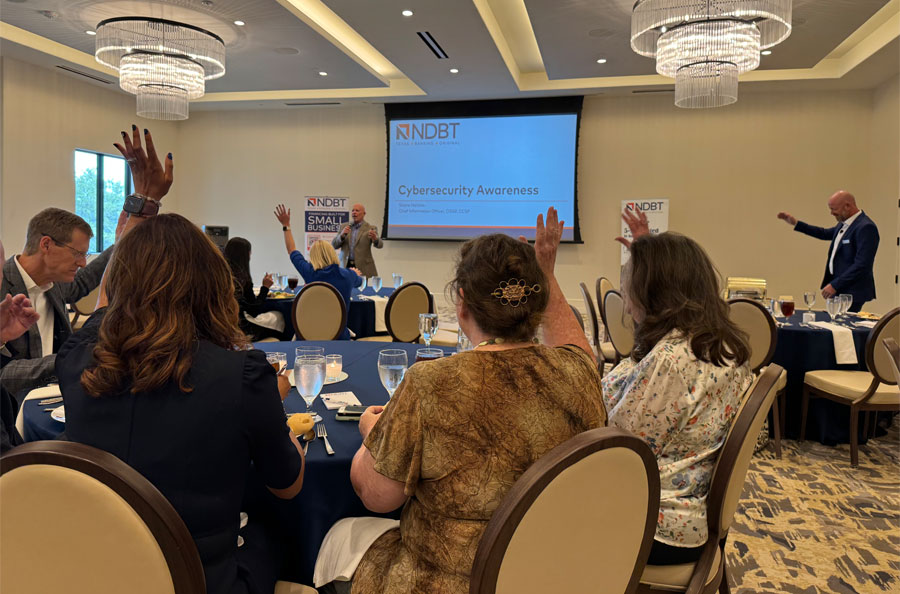
2025 Cybersecurity Luncheon
NDBT Cybersecurity Professional's Insights:
Info from the United States Cybersecurity & Infrastructure Security Agency (CISA):
CISA is an opertional component of the Department of Homeland Security. The agency’s website provides information on cybersecurity best practices to help individuals and organizations implement preventative measures and manage cyber risks.
ABA #BanksNeverAskThat Campaign Videos:
Dinner Date
Garbage Day
Giant Check
Movie Theater