Cybersecurity
Learn About Ways to Better Protect Yourself and Your Assets
NDBT’s Risk Management Team works closely with all bank operations and often shares valuable tips and tools to our customers and clients to help ensure they are as protected from cyber threats as possible. Be aware and check back often!
Staying Cyber Secure is an Every Day Effort
Cybersecurity is serious business. NDBT commits substantial resources 24/7, 365 to ensure our own infrastructure is secure, protecting our customer’s data and financial accounts. But it is also our duty as a community bank to share resources to help you stay aware of the constant threats to your computers, networks, data and other online resources. Our cybersecurity professionals have created a collection of blogs, videos, links, seminar presentations, and other important information to assist you in your efforts to stay cybersecure.
In addition, we offer timely and important information shared by our partners from the Texas Bankers Association (TBA) and the American Bankers Association (ABA), and other experts in the field, including the United States Cybersecurity & Infrastructure Security Agency (CISA).
NDBT Cybersecurity Professional's Insights:
KnowBe4 is a security awareness training platform that helps organizations manage the human element of cybersecurity by educating employees on best practices and threat recognition.
Below are some of KnowBe4's most recent alerts and tips to avoid certain scams.
SCAM ALERT
Screen Share, Beware
You glance at your phone and are startled to see a text message warning you about suspicious activity involving your bank account. Luckily, the message includes a phone number you can call to confirm. The person who answers says they work for your bank and need to check a few things with you. Unusually, they ask you to switch the phone call to use Apple’s FaceTime app instead. After you make the switch, they ask you to share your screen and log in to your bank account so they can review the suspicious activity with you.
But the person you’re speaking with is actually a cybercriminal! If you share your screen while using FaceTime, they can see everything on your screen while you log in to your bank account. This means they can easily see your login information, account numbers, and even any security codes that your bank might send you. With this information, the cybercriminal will have everything they need to steal your money!
____________________________________________________________________________________
Follow these tips to avoid falling victim to this scam:
- If you get a surprise call or text about your bank account, hang up. Call your bank directly using their official contact information. Don’t use any number from the text message.
- Never share your screen with someone who calls or texts you without warning, especially if they ask to see your bank account.
- Be cautious if you receive unusual instructions, such as someone from your bank asking you to use the FaceTime app. Cybercriminals frequently try to trick you into revealing personal information this way.
SCAM ALERT
Don’t Sign Off on This Scam
In this scam, you receive an email that looks like it’s from DocuSign, a software that allows you to sign and send official documents online. The email doesn’t contain many details, but it claims that you urgently need to sign a document. It looks official, and even contains DocuSign’s logo, along with a large yellow button labeled “Review Document.”
However, the email you received was sent by cybercriminals! If you select the yellow button, you may be directed to a fake login page and prompted to enter your user credentials, or the button might direct you to a phishing website. It may even install malware on your device! What the button does varies, but the scammers’ goal remains the same. They want to steal your login information to gain control of your accounts!
____________________________________________________________________________________
Follow these tips to avoid falling victim to this phishing scam:
- In most cases, you won’t be asked to sign anything unless you have spoken to someone about it first. Receiving an unexpected email that instructs you to sign an urgent document is a red flag.
- If you receive an email that contains unusual or suspicious instructions, be sure to follow your organization’s policies for reporting it.
- Always stop and think before you click! Scammers use urgent language in their phishing emails to trick you into acting quickly.
SCAM ALERT
This Fraud Alert is Fake
Scammers are targeting Apple Pay users by sending an email that appears to be an official message from Apple. The email warns you that an expensive purchase was made using your Apple Pay account, but that the charge was blocked as being suspicious. It includes a phone number and states that you must call within 24 hours to confirm that the charge is actually fraudulent. If you don’t, Apple will supposedly allow the transaction to be charged to your account. However, there wasn’t really a suspicious charge to your account. The email you received was sent by scammers who are trying to scare you! If you call the number listed in the email, a cybercriminal will answer. They will pretend to work for Apple Support and will request your Apple ID and personal information so they can “help” you. But if you give them these details, they will use them to gain access to your account!
____________________________________________________________________________________
Follow these tips to avoid falling victim to this phishing scam:
- Remember, Apple will not require you to call a phone number to confirm fraudulent activity immediately. You should always be suspicious if you receive an unexpected email that instructs you to act quickly.
- Cybercriminals frequently impersonate well-known brands, such as Apple, to try and gain your trust. Always stop and think before you take action, even if the email looks official!
- If you have concerns about a purchase, never call a phone number in an email. Go to Apple’s official website and contact their customer service team.
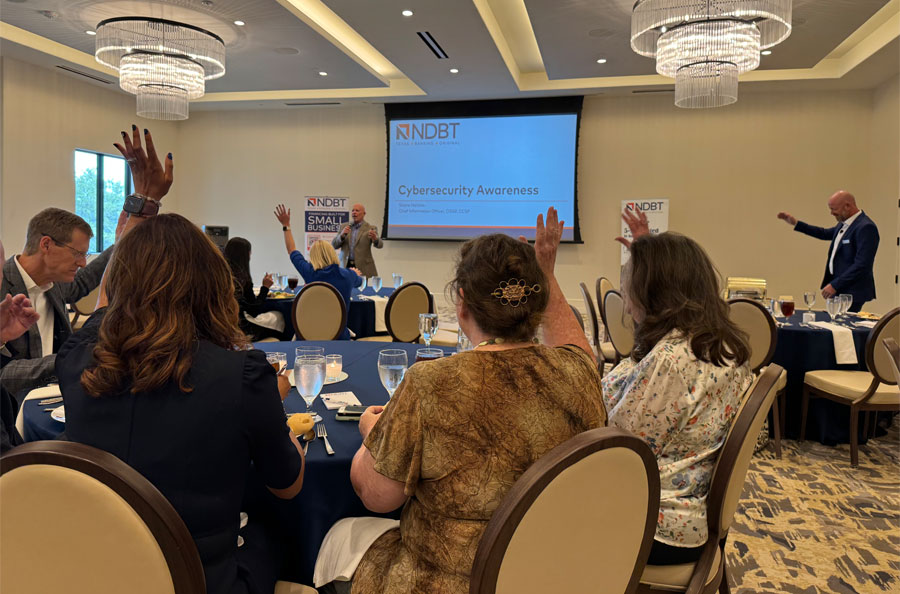
2026 Cybersecurity Luncheon
Featuring CIO Shane Harkins
Info from the United States Cybersecurity & Infrastructure Security Agency (CISA):
CISA is an opertional component of the Department of Homeland Security. The agency’s website provides information on cybersecurity best practices to help individuals and organizations implement preventative measures and manage cyber risks.
ABA #BanksNeverAskThat Campaign Videos:
Dinner Date
Garbage Day
Giant Check
Movie Theater