
Beyond the Password: Simple Ways to Lock Down Your Accounts

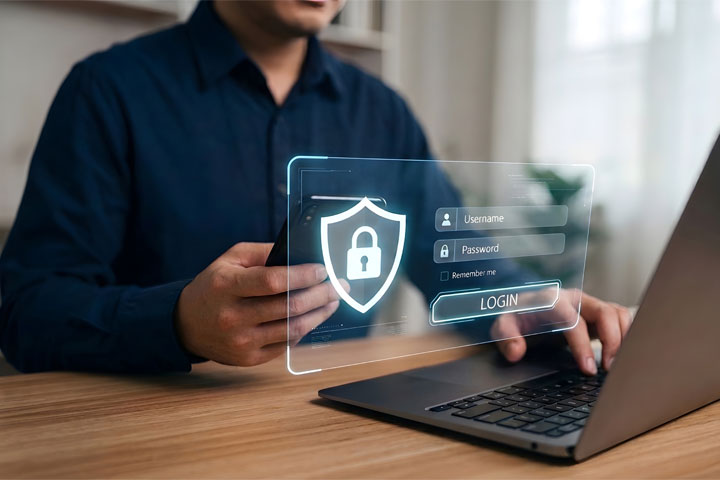
Man at a computer with holograph showing he's trying to lockdown his password

Every October, Cybersecurity Awareness Month reminds us that protecting your money starts with protecting your logins. At NDBT, we talk a lot about spotting scams. Today, we want to focus on something you can do before a scammer ever reaches out: make your accounts much harder to break into.

The good news is that you do not need to be a tech expert. A few small changes can make a big difference.

Why a password alone is not enough

Passwords are easy to guess, easy to reuse, and easy to steal. A fake website can trick you into typing one in. A data breach at a company you have not thought about in years can expose it. And if you use the same password in more than one place, a single leak can open the door to your email, your shopping accounts, and even your finances.

That is why security experts, including the Cybersecurity and Infrastructure Security Agency (CISA), encourage everyone to add a second layer of protection to their accounts.

Headshot of NDBT EVP Gina Brown

Gina Brown, CRCM
Executive Vice President
Enterprise Risk Manager | Information Security Officer

Turn on multi-factor authentication (MFA)

Multi-factor authentication simply means proving who you are in more than one way. Think of it like a house with a deadbolt and an alarm system. Even if someone gets your key (your password), they still cannot get in without the second layer.
Most MFA uses a combination of something you know (a password), something you have (your phone or a security key), or something you are (a fingerprint or face scan). Any MFA is better than none, but not every method is equally strong. As a general guide, from stronger to weaker:

  • Passkeys and security keys let you sign in with your fingerprint, face, PIN, or a small physical key. They only work on real websites, so a scammer can’t trick you out of them.
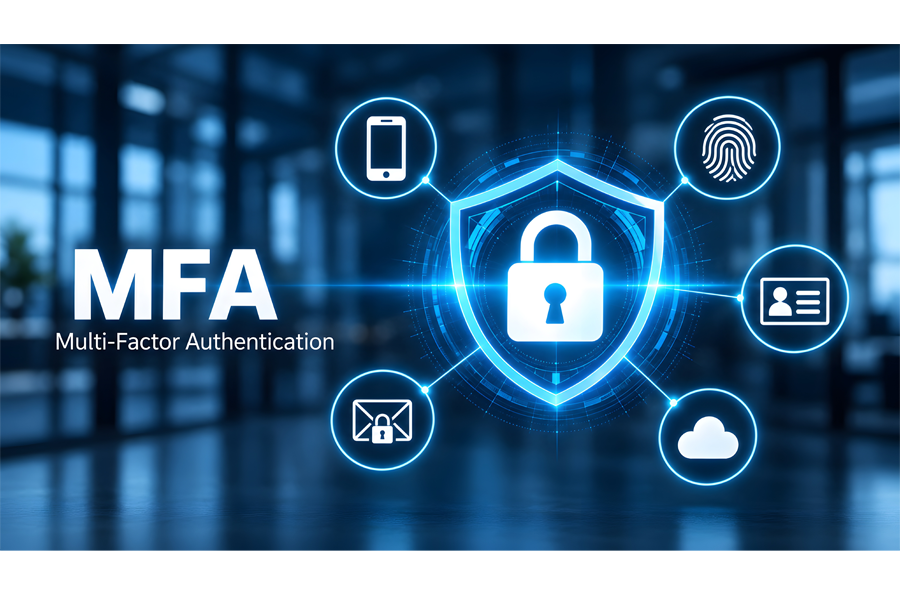
Graphic explaining MFA with a lock in the middle
  • Authenticator apps generate a short-lived code or approve a sign-in with a number you match on screen. Never approve a sign-in request you did not start.
  • Text messages or email codes are better than nothing, but they can be intercepted or tricked out of you, so use them only when nothing stronger is offered.

A quick reminder: NDBT will never call, text, or email you and ask you to read back a verification code. If someone asks for one, it is a scam, even if the caller sounds convincing.

Meet passkeys: the password’s successor

You may have noticed some websites and apps asking, “Would you like to create a passkey?” A passkey lets you sign in using the same method you use to unlock your phone or computer, such as a fingerprint, face scan, or PIN. There is no password to remember, and nothing for a scammer to trick you into typing.

Here is what makes passkeys special. They are stored on your devices and tied to the real website they were created for. If you land on a look-alike site, your passkey will not work. If a service you use offers passkeys, consider turning them on, starting with your email and your most important financial accounts.

Graphic illustrating a password managerLet a password manager do the heavy lifting

Until passkeys are available everywhere, you will still have some passwords. A password manager is a secure app that creates long, unique passwords for every account and remembers them for you, so you only need to remember one strong master password.

A few tips to get started:

  • Make your master password a long passphrase, such as four or more unrelated words strung together.
  • Turn on MFA for the password manager itself.
  • Start small. Update your email, banking, and mobile carrier accounts first, then work through the rest of your platforms and sites over time.

Longer really is stronger. A passphrase like “purple-tractor-window-coffee” is far harder for a computer to crack, and much easier for you to remember, than “P@ssw0rd1!”

A simple October checklist

You can knock this out in an afternoon:

  1. Secure your primary email account first. It is the key to resetting every other password.
  2. Turn on MFA for email, banking, social media, and shopping accounts.
  3. Switch to passkeys anywhere they are offered.
  4. Set up a password manager and replace any reused passwords.
  5. Review your recovery phone number and email address so they are current and belong only to you.


We are here to help

Our goal at NDBT is to help you make smarter choices, in business and in life, and that includes staying safe online. If you think someone may have accessed your NDBT accounts, or you receive a suspicious message that appears to be from us, immediately contact your local NDBT banker. When in doubt, hang up, do not click, and reach out to us using a phone number you know is real.

And if you want to keep learning, visit our Cybersecurity page for more tips on staying ahead of scams.

Remember: NDBT will never ask for your username, password, full card number, or one-time verification code by phone, text, or email.

Sources: CISA: Cybersecurity Awareness Month | Multifactor Authentication | Cybersecurity and Infrastructure Security Agency CISA


Related

NDBT logo


NDBT logo

NO LOGIN ACCESS

We are currently converting to a new Digital Banking System. Login to online banking will be available again at 8am CDT Tuesday, May 7.

Account sign up:

Please pick your Account type:
or

Please Be Aware

Email messages are not always secure. We are not responsible for the confidentiality of communications sent to us via email. Generally, our security software does not encrypt email messages, unless we specifically send you a message via ShareFile. Email messages traveling across the Internet can be subject to viewing, alteration and copying by anyone on the Internet. Always exercise caution when submitting financial or personal information via email. Existing customers should always send confidential information through the secure portal located inside of their online banking session.

Please Be Aware

This link will take you away from NDBT‘s website and will redirect you to another site outside our domain. NDBT makes no endorsements or claims about the accuracy or content of the information contained in these sites and the security and privacy policies on these sites may be different than those of NDBT.